
Rhino Dashboard Trade Panel MT5
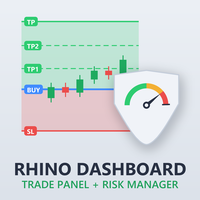
Trade panel and risk manager for MetaTrader 5: position sizing from your stop, orders sent with exits already planned, and daily, weekly and monthly loss limits enforced across the account.
- Platform
- MetaTrader 5
- Type
- Utility
- Version
- 1.0
- Price
- from $30
- Free demo
- Yes
Video
Description
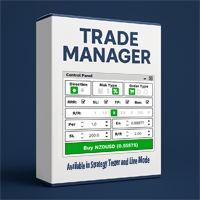
Rhino Dashboard Trade Panel replaces MetaTrader 5's order dialogs with a single panel and a top bar. It sizes each position from the stop you set, sends the order with its exits already planned, and enforces loss limits across the whole account.
It does not trade by itself. Orders are sent only when you click. The only things it does on its own are the exit plan attached to a trade and the risk actions you explicitly switch on.
The top bar
Account name, a DEMO / LIVE / TESTER badge, hedging or netting mode, and a clear warning when trading is switched off in the terminal.
- Symbol watchlist with search and favourites — Bid/Ask, spread, daily change
- Account figures — balance, equity, margin, free margin, margin level
- P/L for today, this week, this month and total, with gauges showing how close you are to your own loss limits and targets
- Clocks — server, local and UTC, candle countdown, the Sydney / Tokyo / London / New York sessions, and the next news event
New Order
Buy or Sell, as a market, limit or stop order. Size entered in lots, money or percent of the account.
| Tab | What it does |
|---|---|
| Order | Position sizing from the stop. SL and TP in price or pips, or TP as a reward-to-risk multiple. Shows volume, risk, reward and margin before you send |
| Exits | Up to four partial-close levels, each able to move the stop |
| Auto | Break-even with trigger and lock; trailing stop in four modes — continuous, new bar, step and ATR |
| Grid | A basket of orders under one SL and TP, with the worst case shown up front |
| More | Slippage, maximum spread, magic number, comment, expiry, order guards |
A trade box on the chart mirrors the same levels, and the levels can be dragged.
Orders, news and statistics
- Positions — edit, close, inspect; close all, close winners, close losers
- Pending orders — delete one or all
- History — filter by period, symbol, side, result and magic number, with a profit-factor summary and CSV export
- News — the built-in MetaTrader calendar, filtered by impact and currency, with per-event sound alerts, a chart line, a news guard and a countdown
- Stats — a monthly P/L calendar, win rate, expectancy, maximum drawdown, long versus short, streaks, a balance curve and session charts
Risk rules
This is the part that runs whether or not you are watching.
- Gauges for daily loss, daily target, drawdown and open risk
- Kill switch — closes everything and blocks new trades
- P/L rules for the day, week and month: loss limits and profit targets in money or percent, with warning levels, notifications (popup, sound, alert, e-mail, push) and actions — block trades, close positions, delete pendings, or switch the expert off
- Limits — risk per trade, maximum volume and spread, minimum free margin, trades per day and week, pause after a losing streak, stop after a winning streak, trading hours and days, news block, Friday close
Settings are saved per account and survive restarts and chart changes.
What works where
| Live chart | Strategy Tester | |
|---|---|---|
| Panel, sizing, orders, exits | Yes | Yes, visual mode only — values are set with step buttons |
| Risk rules | Yes | Yes, on the tester's clock |
| Economic calendar | Yes | No — the tester has no calendar |
| Push and e-mail alerts | Yes, if enabled in the terminal | No |
Hedging and netting accounts are both supported. The Grid requires a hedging account. Interface languages: English, Russian, Chinese and Spanish.
The Strategy Tester replays historical data. Results there are a simulation, not real trading results.
Before you buy
There is a 7-day trial that runs on a live or demo chart — see the trial download — and a user manual.
Running MT4? The same panel is available as Rhino Dashboard Trade Panel MT4.
Screenshots
Choose your plan
Purchase and activation are handled securely by the official MQL5 Market.
- Use it forever
- All future updates
- Support from the author
- Full version
- Updates during rental
- Upgrade to lifetime anytime
- Full version
- Updates during rental
- Upgrade to lifetime anytime
- Full version
- Updates during rental
- Upgrade to lifetime anytime
- Runs in the Strategy Tester
- No payment needed